
YouTube ReVanced APK Download v21.16.256 (Latest Version, No Ads)
Download the verified YouTube ReVanced APK build directly from our secure repository. Unlock complete ad-free video streaming, screen off background playback, automated SponsorBlock segment skipping, and comprehensive interface customization on any Android device without paying for a recurring subscription.
Table of Contents
Application Specifications and Technical Details
app.revanced.android.youtubeOvercoming Modern Mobile YouTube Streaming Roadblocks
More than 2.7 billion people access YouTube across the globe, making it the ultimate destination for entertainment, music discovery, and educational lectures. However, the stock mobile app has gradually evolved into a frustrating experience filled with artificial barriers:
- You cannot watch a standard ten minute video without sitting through two or three consecutive, 30-second unskippable commercial interruptions.
- The moment you minimize the application to reply to an urgent message or lock your screen to slip your phone into your pocket, the audio shuts down instantly.
- Video timelines are increasingly cluttered with in video creator sponsorships, animated merchandising cards, and intrusive subscribe reminders that disrupt your focus.
- The official platform locks essential conveniences behind a costly monthly paywall, asking users to pay a recurring bill for basic playback freedom.
To reclaim control over my streaming sessions, I switched to the YouTube ReVanced APK. Engineered by an active open source community as the direct successor to the discontinued YouTube Vanced project, this package strips out tracking scripts, bypasses forced commercial breaks, and unlocks background listening completely free of charge.
For audiophiles who prefer an interface dedicated entirely to curated music albums, high bitrate song streams, and background listening without video rendering, our platform also maintains the standalone YouTube Music Premium APK build.
If you also enjoy mobile gaming during your free time, you can check out Geometry Dash Pro for rhythm based platformer fun on your smartphone.
What Is the YouTube ReVanced APK?
The YouTube ReVanced app is a community driven, open source enhancement built over the official YouTube Android client. Unlike sketchy modified clones distributed across random forums, ReVanced does not distribute pirated intellectual property. Instead, it utilizes specialized bytecode patches that modify the stock YouTube application directly on your device.
This modern patching framework strips out marketing telemetry, enables hidden premium playback services, and injects user focused community APIs like SponsorBlock and Return YouTube Dislike.
The project operates under continuous open source maintenance. If a specific patch encounters temporary server side video buffering, alternative community builds like Morphe YouTube and ReVanced Extended (RVX) share the same underlying patches, providing a resilient, permanent streaming setup that adapts to YouTube platform updates.
YouTube Vanced vs. YouTube ReVanced: Why the Upgrade Matters
Many mobile viewers still search for legacy YouTube Vanced builds, unaware that the project was officially shut down in March 2022 due to legal notices. Running obsolete Vanced builds today leads to broken feeds and security vulnerabilities. ReVanced was built from the ground up to solve those fundamental architectural flaws:
Core Features of the YouTube ReVanced App
When you complete your revanced youtube download, you unlock an extensive suite of playback enhancements designed for demanding media consumers:
Total Commercial Ad Blocking
Enjoy completely uninterrupted viewing across all content categories. ReVanced removes pre-roll commercials, mid roll video interruptions, sponsored shopping shelves, and home feed promotional carousels. When I stream two-hour gaming walkthroughs or technical deep dives, every video starts instantly with zero countdown timers.
True Screen Off Background Play and Audio Looping
Listen to video essays, interviews, and live concerts just like an audiobook. Background play continues running smoothly when you switch to other productivity apps, browse social media, or press the physical lock button on your phone. You can also toggle background audio looping to replay single songs or study tracks indefinitely.
Floating Picture-in-Picture Window
Multitasking on mobile screens requires flexible window management. Tapping the home button during video playback instantly transitions the stream into a compact, resizable floating miniplayer. You can drag this floating window to any corner of your screen, resize it, or tuck it slightly off-display while texting or reading documents.
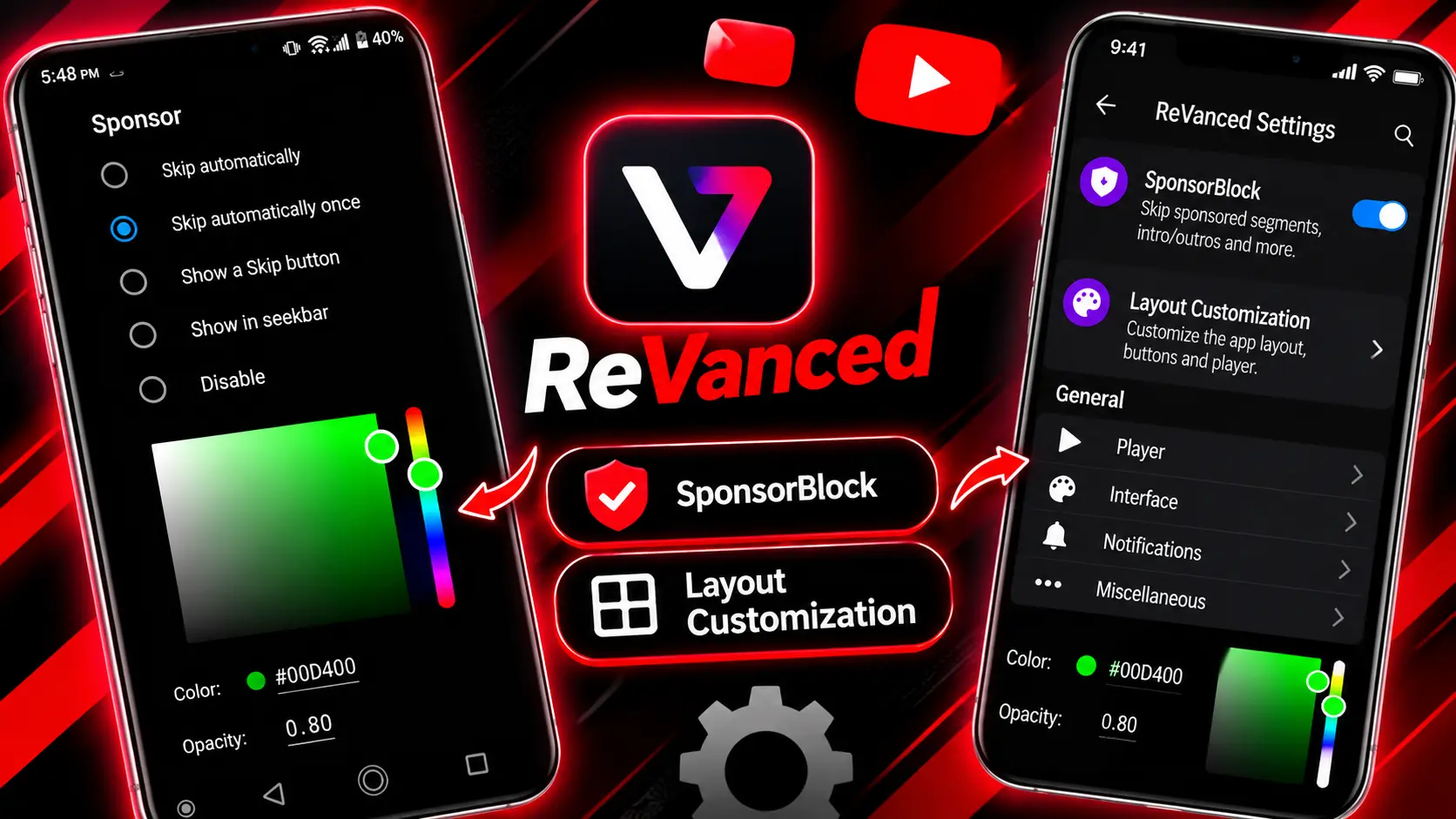
Built In SponsorBlock Integration
Standard ad blockers cannot stop creators from manually embedding two minute sponsored shout outs, affiliate promotions, and interaction reminders into their footage. ReVanced integrates the crowdsourced SponsorBlock API, which automatically marks these segments and skips over them seamlessly, jumping straight to the meaningful content.
Return YouTube Dislike (RYD) Restored
Google removed public dislike numbers years ago, making it difficult to judge clickbait tutorials, misleading technical guides, or broken game solutions before investing your time. ReVanced queries the community-maintained Return YouTube Dislike database, restoring real time calculated dislike counts directly below the video title.
True AMOLED Pitch-Black Theme
Standard dark modes on mobile apps only offer dark grey backgrounds, which still keep screen pixels partially illuminated. ReVanced includes a native AMOLED black theme that switches off display pixels entirely on OLED and AMOLED panels. This delivers striking visual contrast, relieves late-night eye strain, and significantly conserves battery life.
Intuitive Swipe Controls for Brightness and Volume
You do not have to stretch your hand to reach physical phone volume rockers while watching in full screen landscape view. Swiping your finger vertically along the left edge of the display adjusts screen brightness, while swiping along the right edge adjusts media volume. You can also customize double-tap seek intervals to skip 5, 10, 15, or 30 seconds forward or backward.
Dedicated Driving Mode for Commuting
Stream long music playlists and podcast queues safely while driving. ReVanced provides streamlined playback controls that prevent accidental touches and keep background audio running reliably while navigation apps like Google Maps remain active on your dashboard.
Deep Interface and Layout Customization
Take complete command over your viewing environment. ReVanced lets you hide the Shorts shelf from the home feed, disable the floating Cast icon to avoid accidental streaming to family TVs, strip away interactive end-screen suggestion cards, and set your default video resolution to 1080p so streams never drop to blurry resolutions automatically.
The Honest Reality of Video Downloading in ReVanced
Many misleading websites claim that tapping the default “Download” button inside ReVanced allows one-click native 4K offline downloads directly into the YouTube offline library. As responsible technical reviewers, we explain the exact technical reality to protect user trust.
YouTube protects its native offline caching mechanism behind server-side encrypted authorization tokens tied directly to paid Google subscriptions. Because of this server-level barrier, tapping the stock offline download button inside any modded client will prompt you to purchase an official plan.
How Power Users Save Videos Offline Using ReVanced
To download videos locally without paying, ReVanced includes an external downloader hook:
- Inside the application, navigate to Settings > ReVanced Settings > Interaction > External Downloader.
- Link the shortcut setting to an open-source companion tool such as NewPipe or Seal.
- When you tap the download button on any video, ReVanced passes the direct video URL straight to your external tool, allowing you to save high-definition MP4 video or MP3 audio files directly into your internal phone storage.
Top Alternatives to YouTube ReVanced (2026 Comparison)
If you prefer lightweight open-source software or want an account-free experience, consider these community-vetted alternatives:
Step-by-Step Installation Guide with ReVanced GmsCore
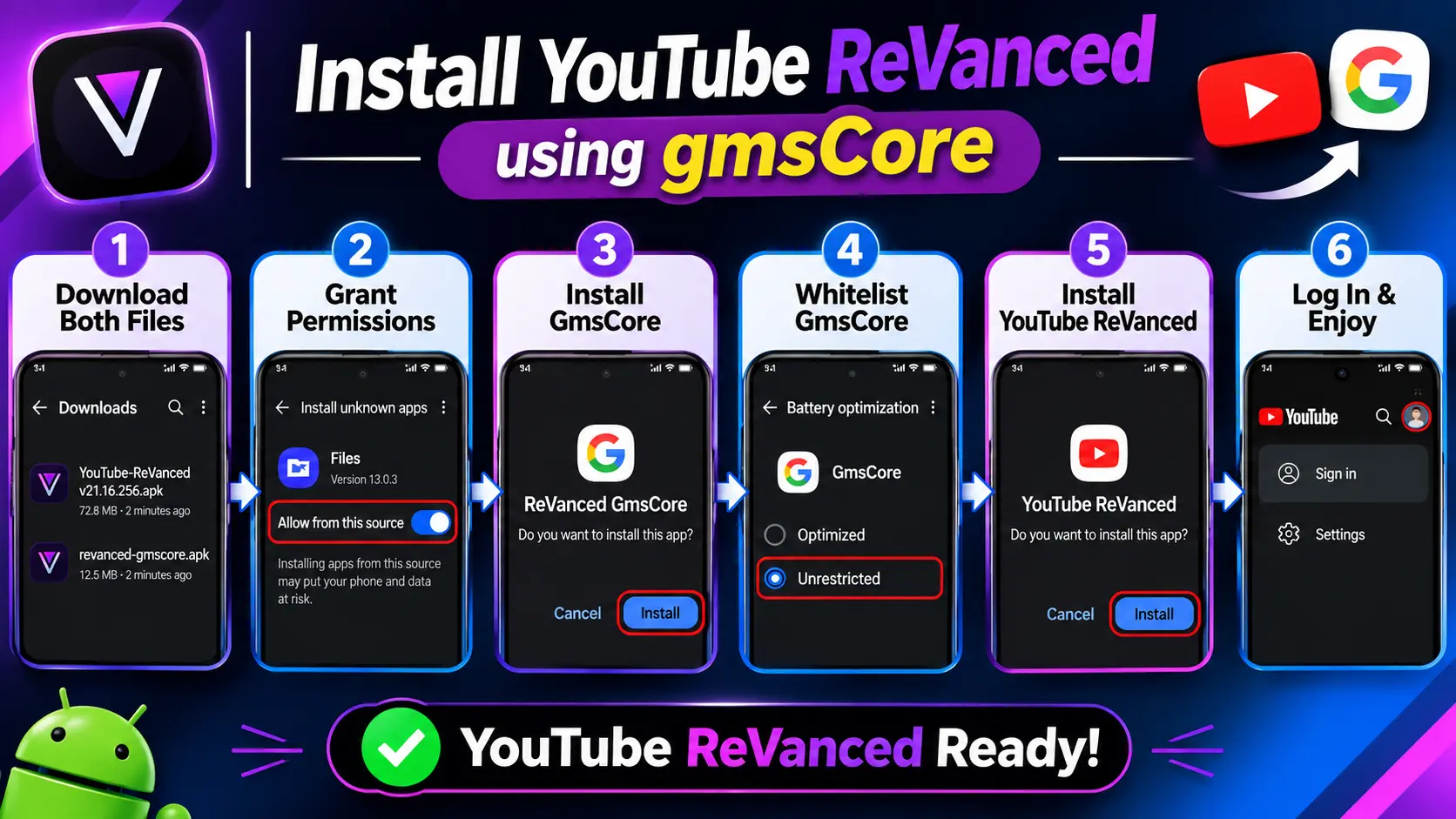
To ensure your personalized subscriptions, watch history, and playlists synchronize properly without login loops, follow this tested installation sequence:
Step 1: Download Both Required Installation Files
To make everything work smoothly, you must download revanced apk alongside its companion authentication package:
- The pre-built YouTube ReVanced APK (latest v21.16.256 build)
- The latest ReVanced GmsCore APK (oSumAtrIX fork)
Download both files to your phone internal storage Download folder.
Step 2: Grant Sideloading Installation Permissions
Android requires permission before installing packages outside the Play Store:
- Navigate to phone Settings, tap Security (or Apps and Notifications), select Special App Access, and tap Install Unknown Apps.
- Select your active file browser or web browser, and toggle the switch to Allow from this source.
Step 3: Install ReVanced GmsCore First
Always install ReVanced GmsCore before opening the primary video client. GmsCore creates the open-source Google Play Services environment required to authenticate your Google profile securely.
Step 4: Whitelist GmsCore from Battery Optimization (Crucial Step)
Modern phone manufacturers (including Xiaomi HyperOS, Samsung One UI, and Huawei EMUI) aggressively kill background processes. To prevent audio cutting out when your screen turns off:
- Navigate to Settings > Apps > GmsCore > Battery.
- Switch the power setting from Optimized to Unrestricted.
- Repeat this exact power setting for the YouTube ReVanced application.
Step 5: Install YouTube ReVanced APK.
Open your file manager, select the YouTube ReVanced APK file, and tap Install. Once the package installer confirms completion, launch the application.
Step 6: Log In and Synchronize Your Profile
Tap the user avatar in the top right corner, select Sign In, and enter your Google account credentials through GmsCore. Your subscribed channels, saved playlists, and watch history will load automatically.
Troubleshooting Known ReVanced Glitches
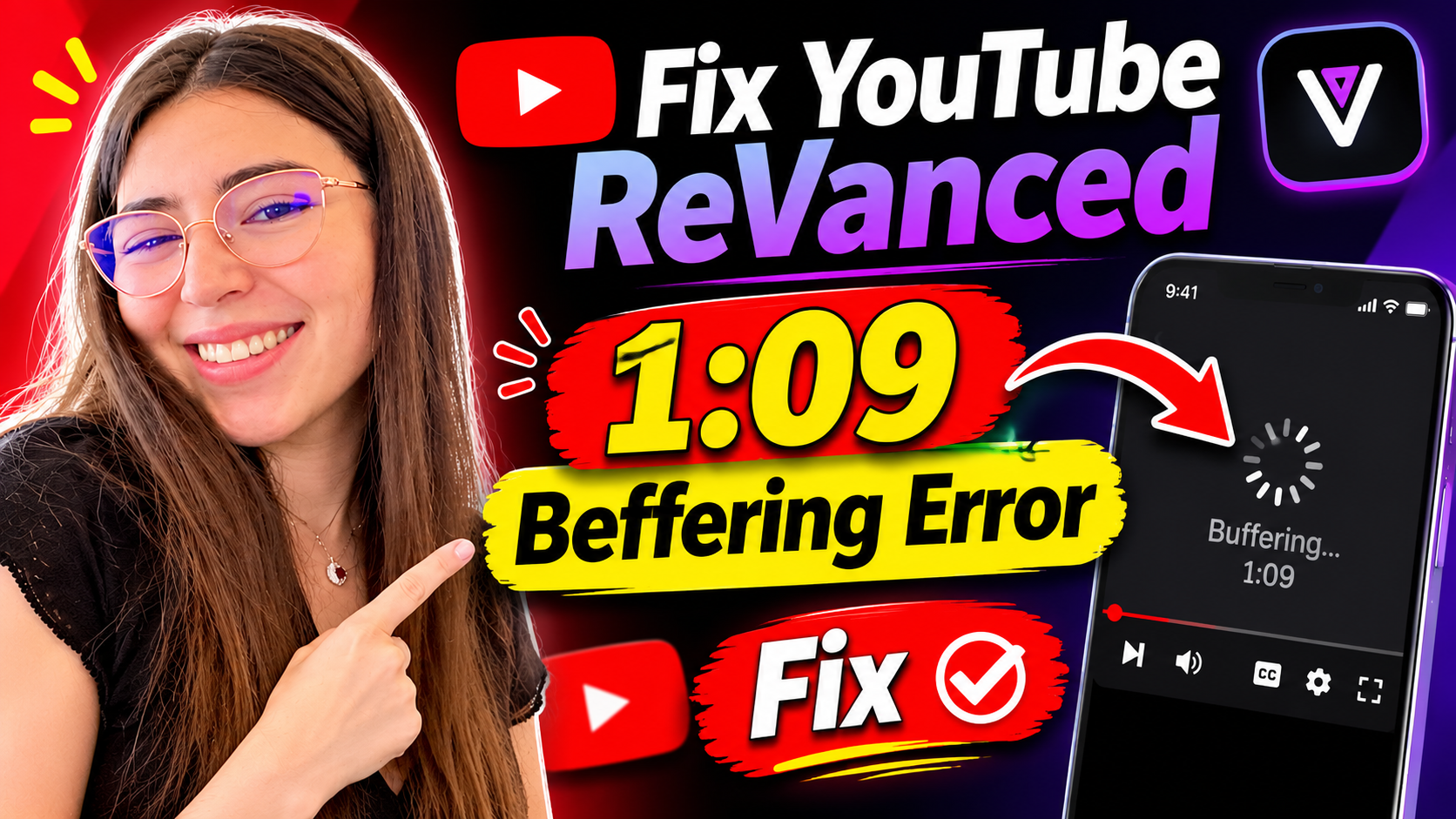
How to Fix the 1:09 Video Buffering Bug
If your video plays smoothly for approximately sixty seconds and then freezes with an endless spinning loading circle at 1 minute 9 seconds, you are encountering Google server-side protobuf verification checks:
- Open the app, navigate to Settings > ReVanced Settings > Miscellaneous.
- Enable the toggle for Spoof Client.
- Change the client stream profile from default to Android VR or iOS.
- Restart the application. Playback will now stream continuously without pausing at 1:09.
External Video Player Opens Automatically
If playing a video launches an external application instead of opening inside the normal player window, navigate to Settings > ReVanced Settings > Interaction > External Downloader, and turn off the switch labeled Play via External Player.
Video Resolution Capped at 360p or Audio Stuttering
If your video resolution locks at 360p or you experience audio cracking on high-definition uploads:
- Navigate to Settings > ReVanced Settings > Video.
- Enable Spoof Video Streams.
- Change your preferred default video stream codec to VP9 or AVC (H.264) instead of AV1.
Blank Playlist or Search Bar Freezing
If your search bar stalls or your subscription playlist displays a blank loading screen, your GmsCore authentication token has timed out:
- Open phone Settings > Accounts > GmsCore.
- Remove your Google account, clear the GmsCore app cache in your application settings, and sign back in.
Frequently Asked Questions (FAQ)
Is YouTube ReVanced completely safe to use on my personal phone?
Yes. The ReVanced framework is fully open-source, allowing independent developers across the globe to inspect its source code on GitHub. Our published installation packages undergo continuous multi-engine screening through VirusTotal to guarantee zero malware, spyware, or malicious background scripts.
Is there an official YouTube ReVanced app available for iPhone or iPad (iOS)?
No. YouTube ReVanced is engineered exclusively for the Android operating system and does not run on iOS. Any website offering a direct “ReVanced for iOS” download is hosting a fraudulent scam file. If you use an Apple device, we recommend exploring our dedicated guide for sideloading IPA alternatives via AltStore.
Do I need to root my Android phone to run ReVanced?
No root access is required. This build is created specifically for standard, non-rooted Android smartphones and tablets, using ReVanced GmsCore to handle account logins cleanly without system root modifications.
Will my Google account get banned for using YouTube ReVanced?
No users have reported permanent account suspensions simply for using open-source ReVanced or Morphe clients. However, if you maintain sensitive documents on your primary Google account, using an alternate secondary Google profile is always a sound technical practice for peace of mind.
Can I keep the official YouTube app installed at the same time?
Yes. YouTube ReVanced uses a distinct internal package identifier (app.revanced.android.youtube), allowing it to co-exist smoothly alongside the factory-installed YouTube app without system conflicts.
What is the difference between YouTube ReVanced and YouTube Music ReVanced?
YouTube ReVanced is engineered for full-screen video streaming, interviews, and community video features. In contrast, YouTube Music ReVanced is designed specifically for high-fidelity audio listening, album radio stations, and artist discographies without video bandwidth overhead.